

Tag API requests
Attach key:value tags to Kimchi API requests in the request body or HTTP headers, to filter usage and cost by any dimension.
When you call a Kimchi model API directly, rather than through a Kimchi Coding session, you attach tags on the request itself. Tags let you attribute the resulting usage and cost to a project, team, environment, or any other dimension. You then filter by those tags in the console's Usage and Analytics pages.
Use per-request tags when you are not running a Kimchi Coding session. They also suit cases where requests in one process need different tags, or where you set tags dynamically per call. For tag format rules, limits, and the query API, see Tags.
Request body
Pass tags in the request body's tags field:
curl -X POST https://llm.kimchi.dev/openai/v1/chat/completions \
  -H "Authorization: Bearer $KIMCHI_API_KEY" \
  -H "Content-Type: application/json" \
  -d '{
    "model": "minimax-m3",
    "messages": [
      {"role": "user", "content": "Hello!"}
    ],
    "tags": ["project:heist", "team:capers", "persona:non-grata"]
  }'
HTTP headers
Pass tags as a comma-separated header instead of in the body:
curl -X POST https://llm.kimchi.dev/openai/v1/chat/completions \
  -H "Authorization: Bearer $KIMCHI_API_KEY" \
  -H "Content-Type: application/json" \
  -H "X-Tags: project:heist,team:capers,persona:non-grata" \
  -d '{
    "model": "minimax-m3",
    "messages": [
      {"role": "user", "content": "Hello!"}
    ]
}'| Header | Description |
|---|---|
X-Tags | Primary tag header |
X-LiteLLM-Tags | Alternative header for LiteLLM compatibility |
When tags are provided in both headers and the request body, Kimchi merges and deduplicates them.
Report in the console
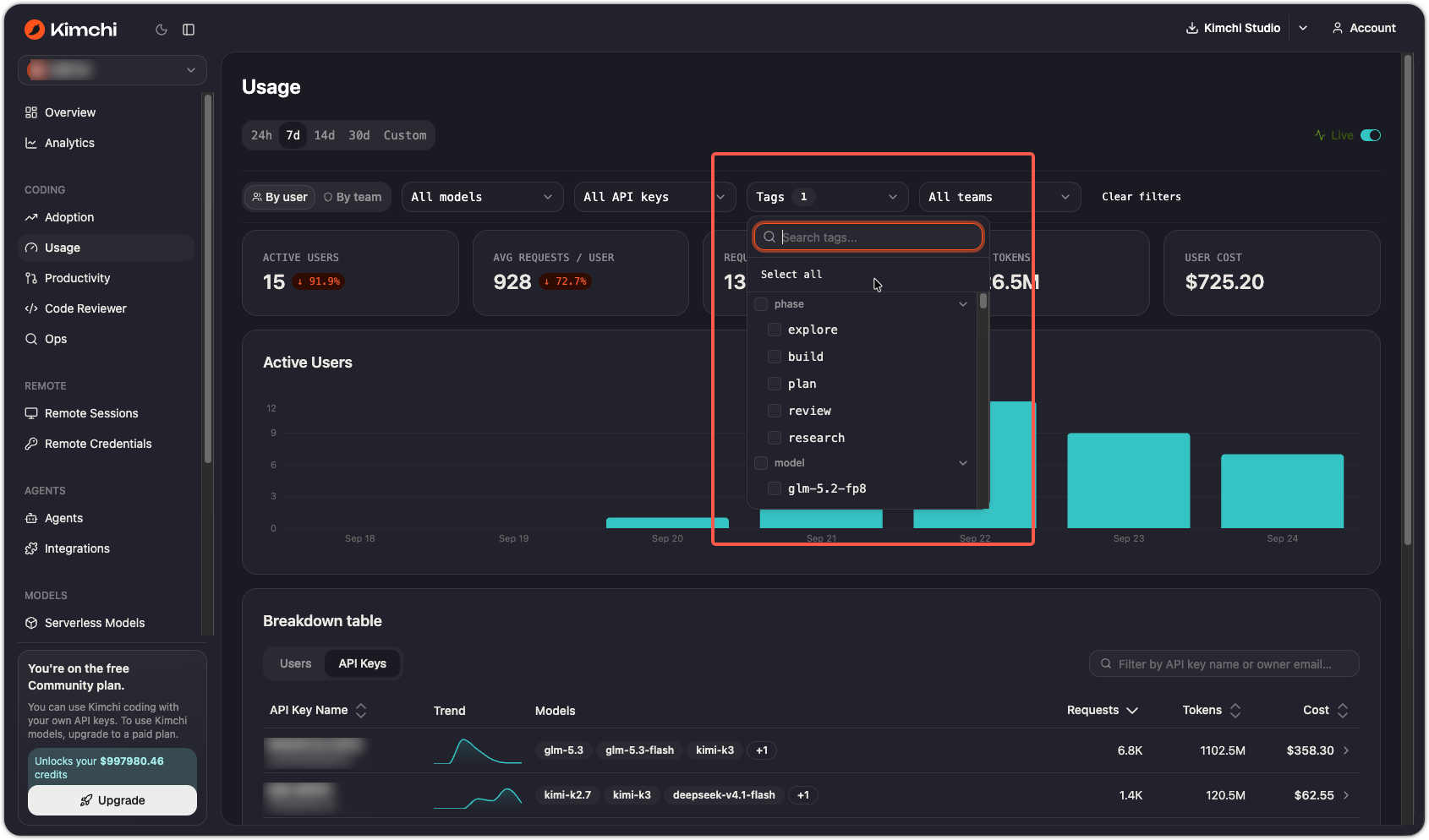
Every tagged request shows up in the console's reporting pages, so the existing filters answer per-tag questions without any extra setup:
- Usage: filter by tag to see requests, tokens, and cost for the tagged traffic.
- Analytics: filter by tag to track cost, request volume, latency, and error rate.
For example, on the Usage page select your tag in the Tags filter and set a 30-day range. Then sort by cost to see which tagged traffic drives the most spend.
See also
Updated 7 days ago